Legacy Crafting
Frameworks
QBX, QB, ESX
Updated
21 Sept 2026
Category
Packages
Docs
Full documentation
Version
Full source included — edit and extend anything you like.
excl. VAT
Add 3 more scripts to unlock: Buy 3 scripts, get the cheapest FREE!
What's Included
- Instant download after purchase
- Lifetime updates — free forever
- Full documentation & setup guides
- Dedicated Discord support
Workbenches your players earn their way up
Place a bench anywhere, decide what it can make, and players walk up and craft. Recipes are built in game: the ingredients, the output, how long it takes and the tier it needs, live the moment you save. Nothing is defined in a config file.
What a player actually does
A bench is a prop standing in the world with a target on it. Walk up, open it, and the camera swings to the angle that bench was given, so a workbench in an alley is framed like a workbench in an alley rather than from wherever the player happened to be standing. Pick a recipe and the panel closes: the character steps to the spot you marked, works at the bench for as long as the recipe takes, and cannot walk off mid job.
Opening a bench, picking a recipe, and making it
What this bench makes, and what you have
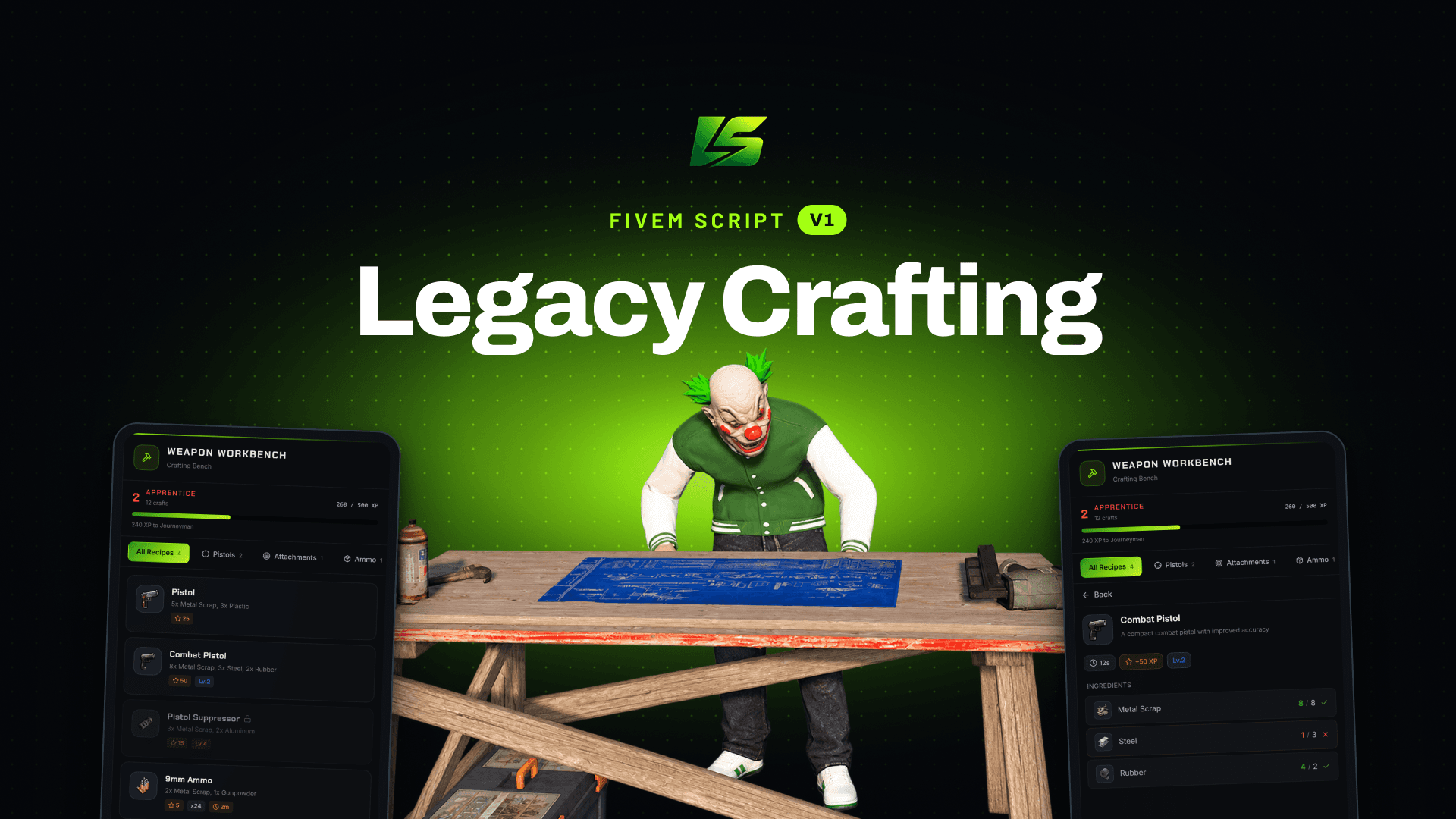
Every bench shows only its own recipes, grouped into the categories you define, with the player's tier and progress along the top. A recipe above their level is visible but locked, so players can see what is worth working towards instead of wondering whether the bench is broken.
Each entry carries what it costs, the experience it pays and any cooldown, before a player commits to it.

Apprentice, 240 XP off the next tier
Exactly why you cannot make it yet

One ingredient short, so the button is closed
Open a recipe and every ingredient is counted against what the player is actually carrying, in green when they have enough and in red when they do not. Here the steel is one short, so the craft button is closed rather than failing halfway with a message nobody reads.
Ingredients can be consumed or required as a tool and kept. Benches can draw from a shared stash instead of the player's pockets, so a workshop stocks itself once and everyone working there uses the same materials.
Five tiers, earned by actually making things
Players earn experience as they craft and move from Novice to Apprentice, Journeyman, Expert and Master. The better recipes sit behind those tiers, so a new character cannot walk up to a bench and produce the best thing on it. The thresholds, the names and the colours are all yours to change, and a recipe can require a job as well as a tier.
Recipes, categories and benches, in game
One command opens the manager. Recipes list with their category, output amount, craft time, experience and the level they need, and any of them can be switched off without deleting it, which is how you retire something without losing the setup. Categories, benches and the tier table are edited in the same place, and a recipe is live as soon as it is saved.

Put one anywhere, standing where you want it
Name the bench, pick a prop or one of the presets, and the script hands you a ghost of it to position and rotate. Then you mark the spot the player stands on to use it, and frame the camera they will see when they open it. All three are saved with the bench, which is why it opens the same way for everyone.
Placing the prop, marking where the player stands, then framing the camera
The rest is on the same form: which jobs or gangs may use it, whether it appears on the map and with which blip, and whether it keeps a shared stash so a workshop stocks itself once rather than every crafter carrying their own materials.
A bench can also attach to a prop that is already in the world, for a map that has the right table in the right place already. Nothing here writes to a file, and saving pushes the bench out to everyone already online, so one added mid shift is usable straight away without a restart.
What you need
Works on qb-core, qbx_core and es_extended, detected automatically. It needs ox_lib, oxmysql and legacy-lib, our shared library, which is free on our GitHub. It also needs an inventory, ox_inventory, qb-inventory or qs-inventory, and a targeting resource, ox_target or qb-target.
Bench storage, where ingredients come from a shared stash rather than a player's own pockets, needs ox_inventory. On the other inventories those benches still work and simply use the player's items. The database tables are created the first time it starts, so there is nothing to import.
Documentation at docs.legacyscripts.net
Support and updates in our Discord